
_ MORE INFORMATION

Resources

Subscribe to stay up to date with the latest tech news, tips and events.

_ ON TOP

Recent Stories

Free Contemporary glass office building surrounded by lush green grass in daylight. Stock Photo
Business

How to Make Sure Your Business Owns Its Domain Name

Article Summary: Your business should control the account where its domain is registered. The registration details, recovery methods, billing information, renewal settings, and DNS access should not depend on one employee, contractor, web designer, or IT provider. Once your website and email are working, the domain name rarely needs day-to-day attention. Renewal may happen automatically, and the registrar account can go untouched for years. That is why ownership problems are often found when a supplier relationship ends, an employee leaves, or the domain fails to renew. When a business first launches, an employee, web designer, marketing agency, or IT provider

Read More »
Free A woman appears stressed while working on a laptop in her modern office. Stock Photo
Cybersecurity

How Hackers Keep Access to Your Email After You Change the Password

Summary: Changing the password blocks someone from signing in with the old password. However, they may still have an active session, a forwarding rule, access through a connected app, mailbox permissions, or a recovery method they added. When someone gets into a business email account, changing the password should happen immediately. Once that is done, the account still needs a full check because other forms of access may remain. During the time they had access, the attacker may have created a forwarding rule, approved a connected app, added a sign-in method, or granted access to another account. They may also

Read More »
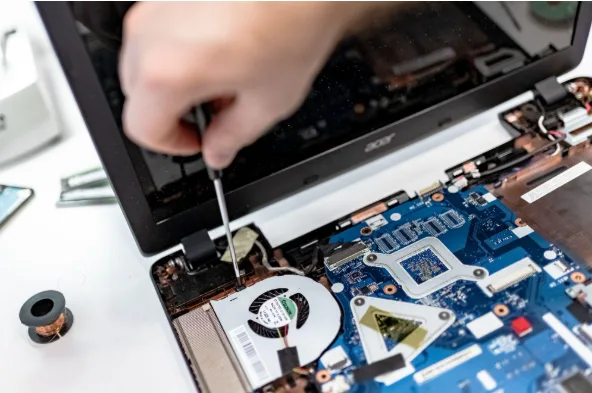
computer being repaired
IT Management

How Long Business Computers Last and When to Replace Them

Summary: Three to five years is a practical replacement range for many business computers. The right time depends on security support, reliability, performance, warranty coverage, repair costs, and the employee’s work. Replace any computer that cannot run a supported operating system or the software your business requires. Most business computers do not fail all at once. A laptop may still handle email and documents but take longer to start, struggle during video calls, or run out of battery halfway through the day. For many office computers, three to five years is a sensible replacement range. Start reviewing each device when

Read More »
two women with laptops
IT Management

Small Business IT Budget: What to Include and How to Plan It

Summary: Your IT budget should include the technology you already use, the support required to maintain it, and the upgrades you expect to make during the year. It should also cover cybersecurity, backups, employee changes, planned projects, and a reserve for urgent repairs or replacements. If your IT budget only covers computers, Microsoft 365, and the occasional repair, it is probably missing several costs. Your business may also be paying for software subscriptions, cloud storage, backups, security tools, internet services, phone systems, websites, network equipment, staff training, and outside IT support. Some of those costs appear every month. Others arrive

Read More »
white wifi router
IT Management

Why Guest Wi-Fi Should Be Separate From Your Business Network

Summary: Guest Wi-Fi should provide internet access while blocking connections to your internal business network. A different Wi-Fi name and password do not confirm that the networks are separated. The router, access points, and firewall must also be configured to prevent guest devices from reaching internal systems. Offering Wi-Fi to customers, contractors, and visitors is convenient. But their phones and laptops should not connect to the same network as your business computers, printers, security cameras, servers, and file storage. Even when you trust the person, you do not control their device. You do not know whether it has current security

Read More »
laptop with storage device plugged in
Cloud

What Happens to Your Data When You Cancel a Cloud Service?

Summary: Before canceling a cloud service, export your data and confirm that the files can be opened or imported. Move any connected applications and sign-ins, then check the provider’s current rules for access, billing, retention, and deletion. A cloud service may hold years of customer records, documents, emails, invoices, project history, or staff activity. If you cancel before moving that information, employees may lose access before the business has a usable copy. Some providers give administrators more time to retrieve data. Others restrict access or begin deleting information after cancellation. The rules depend on the service, subscription, contract, and how

Read More »
lady holding phone while working on a laptop
IT Management

Should Employees Use Personal Devices for Work?

Summary: Allow personal devices only for approved work, through approved apps, and when the device meets your security requirements. Use company-owned devices for administration, sensitive work, or jobs that require large amounts of data to be stored locally. Employees often use personal devices for work before the business has made a decision about it. They add work email to a phone, download a file to a home laptop, or sign into a company app from a computer shared with family. Once business data is stored on a personal device, you have less control over updates, installed apps, backups, and who

Read More »
people working on computer
IT Management

Why Your Employees Shouldn’t Have Administrator Access to Their Computers

Summary: Employees should use standard accounts for email, web browsing, and everyday work. Administrator access should be limited to approved IT tasks and protected with a separate account. Administrator access often starts with one request. An employee needs to install a printer, update a specialist program, or change a setting on their computer. Giving them administrator access gets the job done. The problem is that the access usually stays after the request has been completed. From then on, the employee can approve other software installations and make changes that would normally require help from IT. If they install the wrong

Read More »
magnifying glass near gray laptop computer
IT Management

The 30-Minute IT Check Every Small Business Should Do Once a Month

Summary: Most IT problems don’t appear out of nowhere. Backups quietly stop running, updates sit unfinished for weeks, and old staff accounts stay switched on for months. A short check once a month catches these while they’re still cheap to fix. This post covers the six things to look at. Most owners only look at their IT when something has already gone wrong. A file won’t open, a laptop won’t start, or an invoice gets paid into a scammer’s account. Fixing it at that point costs more than preventing it would have. Almost none of it happens without warning. The

Read More »

Categories

Social Media

_ GET THE LATEST UPDATES

Subscribe To Our Weekly Newsletter

No spam, notifications only about new products, updates.
_ ON TREND

More Stories

Free Contemporary glass office building surrounded by lush green grass in daylight. Stock Photo

How to Make Sure Your Business Owns Its Domain Name

Article Summary: Your business should control the account where its domain is registered. The registration details, recovery methods, billing information, renewal settings, and DNS access should not depend on one employee, contractor, web designer, or IT provider. Once your website and email are working, the domain name rarely needs day-to-day attention. Renewal may happen automatically, and the registrar account can go untouched for years. That is why ownership problems are often found when a supplier relationship ends, an employee leaves, or the domain fails to renew. When a business first launches, an employee, web designer, marketing agency, or IT provider

READ MORE »
Free A woman appears stressed while working on a laptop in her modern office. Stock Photo

How Hackers Keep Access to Your Email After You Change the Password

Summary: Changing the password blocks someone from signing in with the old password. However, they may still have an active session, a forwarding rule, access through a connected app, mailbox permissions, or a recovery method they added. When someone gets into a business email account, changing the password should happen immediately. Once that is done, the account still needs a full check because other forms of access may remain. During the time they had access, the attacker may have created a forwarding rule, approved a connected app, added a sign-in method, or granted access to another account. They may also

READ MORE »
computer being repaired

How Long Business Computers Last and When to Replace Them

Summary: Three to five years is a practical replacement range for many business computers. The right time depends on security support, reliability, performance, warranty coverage, repair costs, and the employee’s work. Replace any computer that cannot run a supported operating system or the software your business requires. Most business computers do not fail all at once. A laptop may still handle email and documents but take longer to start, struggle during video calls, or run out of battery halfway through the day. For many office computers, three to five years is a sensible replacement range. Start reviewing each device when

READ MORE »
two women with laptops

Small Business IT Budget: What to Include and How to Plan It

Summary: Your IT budget should include the technology you already use, the support required to maintain it, and the upgrades you expect to make during the year. It should also cover cybersecurity, backups, employee changes, planned projects, and a reserve for urgent repairs or replacements. If your IT budget only covers computers, Microsoft 365, and the occasional repair, it is probably missing several costs. Your business may also be paying for software subscriptions, cloud storage, backups, security tools, internet services, phone systems, websites, network equipment, staff training, and outside IT support. Some of those costs appear every month. Others arrive

READ MORE »
Women Wednesday Interview
This website uses cookies to improve your experience. By using this website you agree to our Data Protection Policy.