
_ MORE INFORMATION

Resources

Subscribe to stay up to date with the latest tech news, tips and events.

_ ON TOP

Recent Stories

Free Black and white image showcasing a door lock with a key inserted, casting shadows. Stock Photo
IT Management

Why Shared Logins Are a Security Risk for Your Business

Article Summary: Every employee should use their own account wherever the software allows it. Individual accounts let you control permissions, use MFA properly, remove access when someone leaves, and see who performed each action. If a shared password cannot be avoided, store it in a business password manager, limit who can use it, and change it whenever someone’s access is removed. Shared logins usually start with a small, practical decision. Someone needs access to a system, and sending the existing username and password seems like the quickest way to get the job done. Maybe an employee needs to send an


Read More »
Free Two people analyzing business graphs and documents at an office desk. Stock Photo
Cybersecurity

What to Ask a Software Vendor AfterThey Report a Data Breach

Article Summary: Confirm that the notice is genuine, then ask whether your business was affected, what information was exposed, when the breach happened, and whether any passwords, access tokens, or connected systems need attention. Keep written records of the vendor’s answers and involve your IT provider, insurer, or legal adviser when needed. You’ve just found yourself on the receiving end of a data breach notice from one of your software vendors. Maybe it’s the company that handles your payroll. It could be your accounting platform, CRM, cloud storage provider, or another service your team uses every day. The email says

Read More »
Free Contemporary glass office building surrounded by lush green grass in daylight. Stock Photo
Business

How to Make Sure Your Business Owns Its Domain Name

Article Summary: Your business should control the account where its domain is registered. The registration details, recovery methods, billing information, renewal settings, and DNS access should not depend on one employee, contractor, web designer, or IT provider. Once your website and email are working, the domain name rarely needs day-to-day attention. Renewal may happen automatically, and the registrar account can go untouched for years. That is why ownership problems are often found when a supplier relationship ends, an employee leaves, or the domain fails to renew. When a business first launches, an employee, web designer, marketing agency, or IT provider

Read More »
Free A woman appears stressed while working on a laptop in her modern office. Stock Photo
Cybersecurity

How Hackers Keep Access to Your Email After You Change the Password

Summary: Changing the password blocks someone from signing in with the old password. However, they may still have an active session, a forwarding rule, access through a connected app, mailbox permissions, or a recovery method they added. When someone gets into a business email account, changing the password should happen immediately. Once that is done, the account still needs a full check because other forms of access may remain. During the time they had access, the attacker may have created a forwarding rule, approved a connected app, added a sign-in method, or granted access to another account. They may also

Read More »
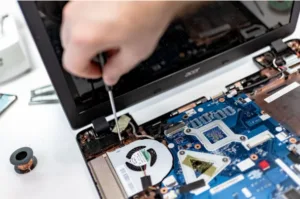
computer being repaired
IT Management

How Long Business Computers Last and When to Replace Them

Summary: Three to five years is a practical replacement range for many business computers. The right time depends on security support, reliability, performance, warranty coverage, repair costs, and the employee’s work. Replace any computer that cannot run a supported operating system or the software your business requires. Most business computers do not fail all at once. A laptop may still handle email and documents but take longer to start, struggle during video calls, or run out of battery halfway through the day. For many office computers, three to five years is a sensible replacement range. Start reviewing each device when

Read More »
two women with laptops
IT Management

Small Business IT Budget: What to Include and How to Plan It

Summary: Your IT budget should include the technology you already use, the support required to maintain it, and the upgrades you expect to make during the year. It should also cover cybersecurity, backups, employee changes, planned projects, and a reserve for urgent repairs or replacements. If your IT budget only covers computers, Microsoft 365, and the occasional repair, it is probably missing several costs. Your business may also be paying for software subscriptions, cloud storage, backups, security tools, internet services, phone systems, websites, network equipment, staff training, and outside IT support. Some of those costs appear every month. Others arrive

Read More »
white wifi router
IT Management

Why Guest Wi-Fi Should Be Separate From Your Business Network

Summary: Guest Wi-Fi should provide internet access while blocking connections to your internal business network. A different Wi-Fi name and password do not confirm that the networks are separated. The router, access points, and firewall must also be configured to prevent guest devices from reaching internal systems. Offering Wi-Fi to customers, contractors, and visitors is convenient. But their phones and laptops should not connect to the same network as your business computers, printers, security cameras, servers, and file storage. Even when you trust the person, you do not control their device. You do not know whether it has current security

Read More »
laptop with storage device plugged in
Cloud

What Happens to Your Data When You Cancel a Cloud Service?

Summary: Before canceling a cloud service, export your data and confirm that the files can be opened or imported. Move any connected applications and sign-ins, then check the provider’s current rules for access, billing, retention, and deletion. A cloud service may hold years of customer records, documents, emails, invoices, project history, or staff activity. If you cancel before moving that information, employees may lose access before the business has a usable copy. Some providers give administrators more time to retrieve data. Others restrict access or begin deleting information after cancellation. The rules depend on the service, subscription, contract, and how

Read More »
lady holding phone while working on a laptop
IT Management

Should Employees Use Personal Devices for Work?

Summary: Allow personal devices only for approved work, through approved apps, and when the device meets your security requirements. Use company-owned devices for administration, sensitive work, or jobs that require large amounts of data to be stored locally. Employees often use personal devices for work before the business has made a decision about it. They add work email to a phone, download a file to a home laptop, or sign into a company app from a computer shared with family. Once business data is stored on a personal device, you have less control over updates, installed apps, backups, and who

Read More »

Categories

Social Media

_ GET THE LATEST UPDATES

Subscribe To Our Weekly Newsletter

No spam, notifications only about new products, updates.
_ ON TREND

More Stories

Free Black and white image showcasing a door lock with a key inserted, casting shadows. Stock Photo

Why Shared Logins Are a Security Risk for Your Business

Article Summary: Every employee should use their own account wherever the software allows it. Individual accounts let you control permissions, use MFA properly, remove access when someone leaves, and see who performed each action. If a shared password cannot be avoided, store it in a business password manager, limit who can use it, and change it whenever someone’s access is removed. Shared logins usually start with a small, practical decision. Someone needs access to a system, and sending the existing username and password seems like the quickest way to get the job done. Maybe an employee needs to send an

READ MORE »
Free Two people analyzing business graphs and documents at an office desk. Stock Photo

What to Ask a Software Vendor AfterThey Report a Data Breach

Article Summary: Confirm that the notice is genuine, then ask whether your business was affected, what information was exposed, when the breach happened, and whether any passwords, access tokens, or connected systems need attention. Keep written records of the vendor’s answers and involve your IT provider, insurer, or legal adviser when needed. You’ve just found yourself on the receiving end of a data breach notice from one of your software vendors. Maybe it’s the company that handles your payroll. It could be your accounting platform, CRM, cloud storage provider, or another service your team uses every day. The email says

READ MORE »
Free Contemporary glass office building surrounded by lush green grass in daylight. Stock Photo

How to Make Sure Your Business Owns Its Domain Name

Article Summary: Your business should control the account where its domain is registered. The registration details, recovery methods, billing information, renewal settings, and DNS access should not depend on one employee, contractor, web designer, or IT provider. Once your website and email are working, the domain name rarely needs day-to-day attention. Renewal may happen automatically, and the registrar account can go untouched for years. That is why ownership problems are often found when a supplier relationship ends, an employee leaves, or the domain fails to renew. When a business first launches, an employee, web designer, marketing agency, or IT provider

READ MORE »
Free A woman appears stressed while working on a laptop in her modern office. Stock Photo

How Hackers Keep Access to Your Email After You Change the Password

Summary: Changing the password blocks someone from signing in with the old password. However, they may still have an active session, a forwarding rule, access through a connected app, mailbox permissions, or a recovery method they added. When someone gets into a business email account, changing the password should happen immediately. Once that is done, the account still needs a full check because other forms of access may remain. During the time they had access, the attacker may have created a forwarding rule, approved a connected app, added a sign-in method, or granted access to another account. They may also

READ MORE »
How to Make Sure Your Business Owns Its Domain Name
This website uses cookies to improve your experience. By using this website you agree to our Data Protection Policy.