
_ MORE INFORMATION

Resources

Subscribe to stay up to date with the latest tech news, tips and events.

_ ON TOP

Recent Stories

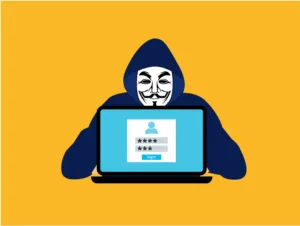
Free hacker anonymous cybersecurity vector
Cybersecurity

Adversary-in-the-Middle Attacks: How Phishing Sites Steal Your Active Login

You click a link, sign in, approve the MFA prompt, and get on with your day. Completely unaware that someone else just logged into your account at the same moment. That scenario surprises many businesses, particularly those that rely on multi-factor authentication (MFA) to protect cloud accounts. But this is exactly how Adversary-in-the-Middle (AiTM) phishing attacks work.  Rather than stealing passwords for later use, these attacks silently hijack an already-authenticated session in real time. MFA remains a core control, and getting it implemented correctly is still a critical first step for any business.  But AiTM attacks exploit something MFA was
Read More »
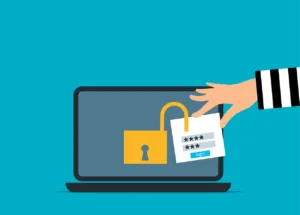
Free attack unsecured laptop vector
Cybersecurity

The “Session Cookie” Hijack: Why MFA Can’t Always Save You

MFA is a strong front-door lock. But it’s not the only thing that decides whether someone can get in. After you sign in, your browser keeps you logged in using a session token (often stored as a cookie). It’s the digital version of a wristband at an event: once you’ve been checked, the wristband proves you belong there. If an attacker steals that wristband, they may not need to beat your MFA prompt at all. That’s the core of session cookie hijacking. The attacker isn’t “cracking” MFA. They’re skipping it by replaying your already authenticated session. This isn’t a reason

Read More »
IT Management

The “Legacy Debt” Audit: Identifying the 3 Oldest Risks in Your Server Room

The most dangerous thing in a server room is often the phrase, “Don’t touch that.” It’s usually said with a half-joke and a grimace. It refers to the old box that “still works”, runs something important, and has survived so many fixes and workarounds that nobody feels confident changing it anymore. That’s legacy debt.  Not just “old tech”, but old tech that’s become a dependency. It’s the kind that quietly accumulates risk until it turns into downtime, security exposure, or an emergency upgrade at the worst possible time. A legacy debt audit is the fast way to bring that risk

Read More »
A man sitting at a table with a laptop and cell phone
IT Management

The “Backup Exit” Strategy: Can You Move Your Data Without the Vendor’s Help?

When you first sign up for a software-as-a-service (SaaS) platform, everything is designed to feel effortless.  The problem is that the first real test of a SaaS relationship isn’t the onboarding. It’s the exit.  For many small businesses, the front door is wide open, but the emergency exit is bolted shut: exports are incomplete, key data sits in proprietary formats, and leaving requires expensive vendor help. That’s more than inconvenient. It’s a business risk.  As teams move toward a workforce blended with humans and Agentic AI in 2026, your advantage will come from data you can move, reuse, and trust.

Read More »
Free ai generated cybersecurity digital shield illustration
Cybersecurity

Micro-SaaS Vetting: The 5-Minute Security Check for Browser Add-ons

Browser add-ons have a funny reputation. They feel “small”. A quick install. A tiny productivity boost. A harmless little helper that lives in your toolbar. But in practice, a browser extension is more like a micro-SaaS vendor sitting inside your browser session. It can see what you see, interact with the pages you open, and sometimes access the same cloud apps your business runs on all day. That’s why a browser extension security check matters.  Not because every extension is bad, but because it only takes one over-permissioned add-on or one bad update to turn “helpful” into exposure. The good

Read More »
Free antivirus security privacy illustration
Online Presence

LinkedIn “Social Engineering”: Protecting Your Staff from Fake Recruitment Scams

A fake recruiter message is one of the cleanest social engineering tricks around because it doesn’t look like a trick. That’s why LinkedIn recruitment scams work so well inside real businesses.  They don’t arrive as malware. They arrive as a normal conversation that nudges someone toward one small action: click this link, open this file, “verify” this detail, move the chat to a different app. A few simple checks, a couple of hard-stop rules, and an easy way to report suspicious outreach can shut these scams down without slowing anyone down. LinkedIn Recruitment Scams LinkedIn recruitment scams artfully blend into

Read More »
Free cyber security digital cyber illustration
Working from Home

“Clean Desk” 2.0: Securing Your Home Office from Physical Data Leaks

In the traditional office, a “Clean Desk” policy was a simple habit: shred the sensitive stuff, lock it away, and don’t leave passwords where someone can see them. In 2026, the same idea still matters but the “desk” has changed.  For many teams, the home office is now the default workspace, and that means physical access can quickly become digital access. An unlocked screen, a shared device, or a laptop left in the wrong place can expose the same systems your business runs on every day. Clean Desk 2.0 isn’t about aesthetics. It’s about securing the physical-to-digital bridge.  If a

Read More »
Free list notes icon illustration
Working from Home

The Essential Checklist for Securing Company Laptops at Home

At home, security incidents don’t look like dramatic movie hacks. They look like stepping away from your laptop during a delivery, or leaving it unlocked while you grab something from another room. Those ordinary moments, repeated over time, are how work devices end up exposed. A remote work security checklist focuses on simple, practical controls that hold up in real life. Put it in place once, make it routine, and you’ll prevent the kinds of issues that hurt most because they were entirely avoidable. Why Home Is a Different Security Environment A work laptop doesn’t magically become “less secure” at

Read More »
Free cloud computer backup illustration
Cloud

The 2026 Guide to Uncovering Unsanctioned Cloud Apps

If you want to uncover unsanctioned cloud apps, don’t begin with a policy. Start with your browser history. The cloud environment most businesses actually use rarely matches the one shown on the IT diagram. It’s built through countless small shortcuts: a “just this once” file share, a free tool that solves one problem faster, a plug-in installed to meet a deadline, or an AI feature quietly enabled inside an app you already pay for. In the moment, none of it feels like a problem. It feels efficient. Helpful. Until it isn’t. Then you realize business data is scattered across tools

Read More »

Categories

Social Media

_ GET THE LATEST UPDATES

Subscribe To Our Weekly Newsletter

No spam, notifications only about new products, updates.
_ ON TREND

More Stories

flat-screen-computer-monitor-turned-on

Still on Windows 10? Here’s Why You’re Putting Your Business at Risk

Article Summary: Windows 10 reached the end of Microsoft support on October 14, 2025, which means it no longer gets security updates. The computers still work, but any new flaw found in Windows 10 will never be fixed, which makes them easier to attack and can cause problems with compliance and cyber insurance. You have three options: upgrade eligible PCs to Windows 11 for free, pay for Extended Security Updates as a short-term bridge, or replace machines too old to upgrade. Microsoft stopped supporting Windows 10 on October 14, 2025. If your business is still running it, and plenty are,

READ MORE »
teacher-video-calling-with-his-students-using-a-computer

Who Can See What Your AI Note-Taker Records?

Article Summary: AI note-takers join your meetings, transcribe everything said, and save the recording and summary to the vendor’s servers. Who can see that recording depends on the tool. Some keep your data inside your own Microsoft or Google environment and never use it for training, while others store it on their own servers and may use it to improve their AI. Some also auto-join meetings from your calendar without anyone pressing record. Before you let one into a client or staff meeting, it’s worth knowing where the recording goes and getting everyone’s consent. AI note-takers have become normal in

READ MORE »
closeup of mail app icon on phone

How to Stop Scammers from Sending Emails in Your Company’s Name

Article Summary: Email spoofing is when a scammer sends a message that appears to come from your domain, often to trick your clients or staff into paying a fake invoice or changing banking details. Three DNS records (SPF, DKIM, and DMARC) prove that a message really came from you and tell receiving mail servers to reject the ones that didn’t. The catch is that DMARC only protects you once it’s set to “quarantine” or “reject,” and a lot of businesses leave it on “none,” which monitors but does not block. Right now, with no special tools, someone could send an

READ MORE »
Free High-resolution close-up of a smartphone displaying a QR code on its screen. Stock Photo

QR Code Scams: What They Are and How to Protect Your Business

Article Summary: A QR code scam, sometimes called quishing, hides a malicious web link inside a QR code. Because the link is buried in an image instead of written as text, it slips past the email filters that normally catch bad links, and scanning the code usually moves the victim onto a personal phone that sits outside the company’s security. Microsoft reported a 146% rise in QR code phishing during the first quarter of 2026. QR codes are part of normal business now. You scan them to see a menu, pay for parking, connect to Wi-Fi, or open a shared

READ MORE »
Adversary-in-the-Middle Attacks: How Phishing Sites Steal Your Active Login
This website uses cookies to improve your experience. By using this website you agree to our Data Protection Policy.